Zapier
Zapier connects Formtorch to 6,000+ apps. Each new submission triggers a Zap: no code required.
Plan availability
| Plan | Active Zaps |
|---|---|
| Free | Not available |
| Starter | 1 |
| Pro | 5 |
See the pricing page for a full plan comparison.
The Zap limit is workspace-wide, not per form. On Starter, your one active Zap can be on any form, but adding a second Zap on a different form is blocked until you pause or upgrade — even if that form has never had a Zap before. This is different from Google Sheets and Webhooks, which cap per form.
Setup
Create a Zap in Zapier
In Zapier, create a new Zap and choose Webhooks by Zapier as the trigger app. Select Catch Hook as the trigger event. Zapier generates a unique hook URL (https://hooks.zapier.com/hooks/catch/...). Copy it.
Add the destination in Formtorch
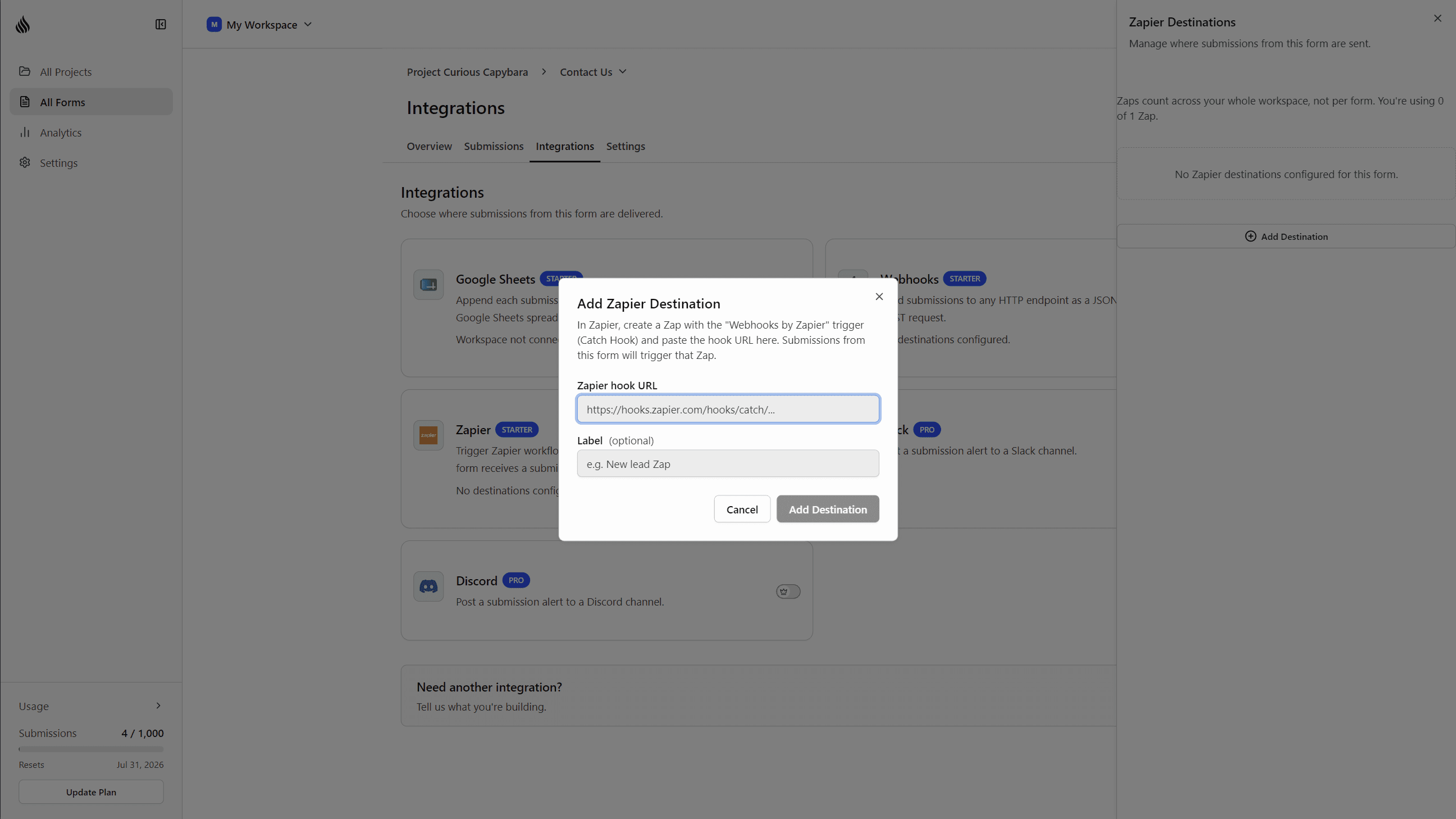
Open the form in the dashboard , go to Integrations, and click Add Destination on the Zapier card. Paste the hook URL, optionally add a label, and save.
Send a test submission
Submit a real entry to the form (not a test submission: _test=true submissions are intentionally never delivered to integrations). Then use Zapier’s Test trigger to pull the sample into the Zap editor and map fields to your next action.
That’s it.
Zapier’s Catch Hook flattens nested JSON in its field picker. A submission
field at submission.data.email appears as submission__data__email.
What gets skipped
Formtorch does not trigger a Zap for:
- Spam submissions: detected by TorchWarden and suppressed before delivery
- Test submissions: submitted with
_test=true
Suspicious submissions (flagged but not definitively spam) trigger the Zap normally: consistent with how email notifications and other integrations behave.
Delivery status and retries
Zapier deliveries use the same async pipeline as Google Sheets and webhooks. Each delivery is tracked individually and visible on the submission’s Integrations section in the dashboard.
| Outcome | What happens |
|---|---|
| Zap accepts the hook | Delivered |
| Hook deleted in Zapier (404/410) | Marked not found; no further retries |
| Zapier rate limits the request | Retried automatically, up to 6 total attempts |
| Temporary network or server error | Retried automatically, up to 6 total attempts |
Common transient failures (rate limits, temporary outages) are retried automatically. A deleted or invalid hook URL stops retrying immediately.
Security
The signing secret Formtorch generates for each Zap is never shown or revealed in the dashboard: Zapier hooks don’t verify signatures, so there’s no reveal dialog to copy it from. Deliveries are still signed with an X-FormTorch-Signature header if you want to verify authenticity in a “Code by Zapier” step.
Only https://hooks.zapier.com/... URLs are accepted, which keeps Zap slots from being used as a substitute for the (separately limited) Webhooks destination.
What happens if you downgrade
The Zap cap is workspace-wide, so downgrading re-checks it across every form at once, not form by form.
If you have more active Zaps than your new plan allows, Formtorch keeps the oldest Zaps active up to the new limit and automatically pauses the rest. Downgrading to Free pauses every Zap. Nothing is deleted: paused Zaps stay configured, and upgrading again (or freeing up a slot by pausing another Zap) lets you reactivate them.
If you downgrade with more Zaps than your new plan allows, check Settings → Integrations afterward to see which ones auto-paused. A Zap that stops firing isn’t necessarily broken: it may simply be over the new cap.
Troubleshooting
See Troubleshooting → Zapier if your Zap isn’t triggering.