Spam Protection
Formtorch protects your forms using a layered spam defense system. Each layer works together to stop bots early, reduce noise, and keep your submissions clean.
At the core, every submission is checked server-side before it is stored. This means you get protection out of the box, even without additional setup.
Want a step-by-step walkthrough? See Setting Up Spam Protection to configure all protection layers end-to-end.
How it works
Formtorch combines multiple protection layers, from invisible traps to real-time scoring:
-
Honeypot Catches basic bots with a hidden field. Zero friction for real users.
-
TorchWarden™ Runs server-side on every submission. Scores and flags suspicious activity automatically.
-
Domain Restriction Accepts submissions only from allowed origins.
-
CAPTCHA Integration Adds an explicit challenge using Turnstile, hCaptcha, or reCAPTCHA v3.
Each layer targets a different class of spam. You can use them individually, but they are most effective when combined.
TorchWarden
Every submission passes through TorchWarden™, Formtorch’s built-in spam detection system.
It evaluates submissions in real time and flags suspicious ones based on multiple signals. Flagged submissions are quarantined, not deleted, so you can review edge cases safely.
You do not need to configure anything. TorchWarden runs automatically for all forms.
Spam in the dashboard
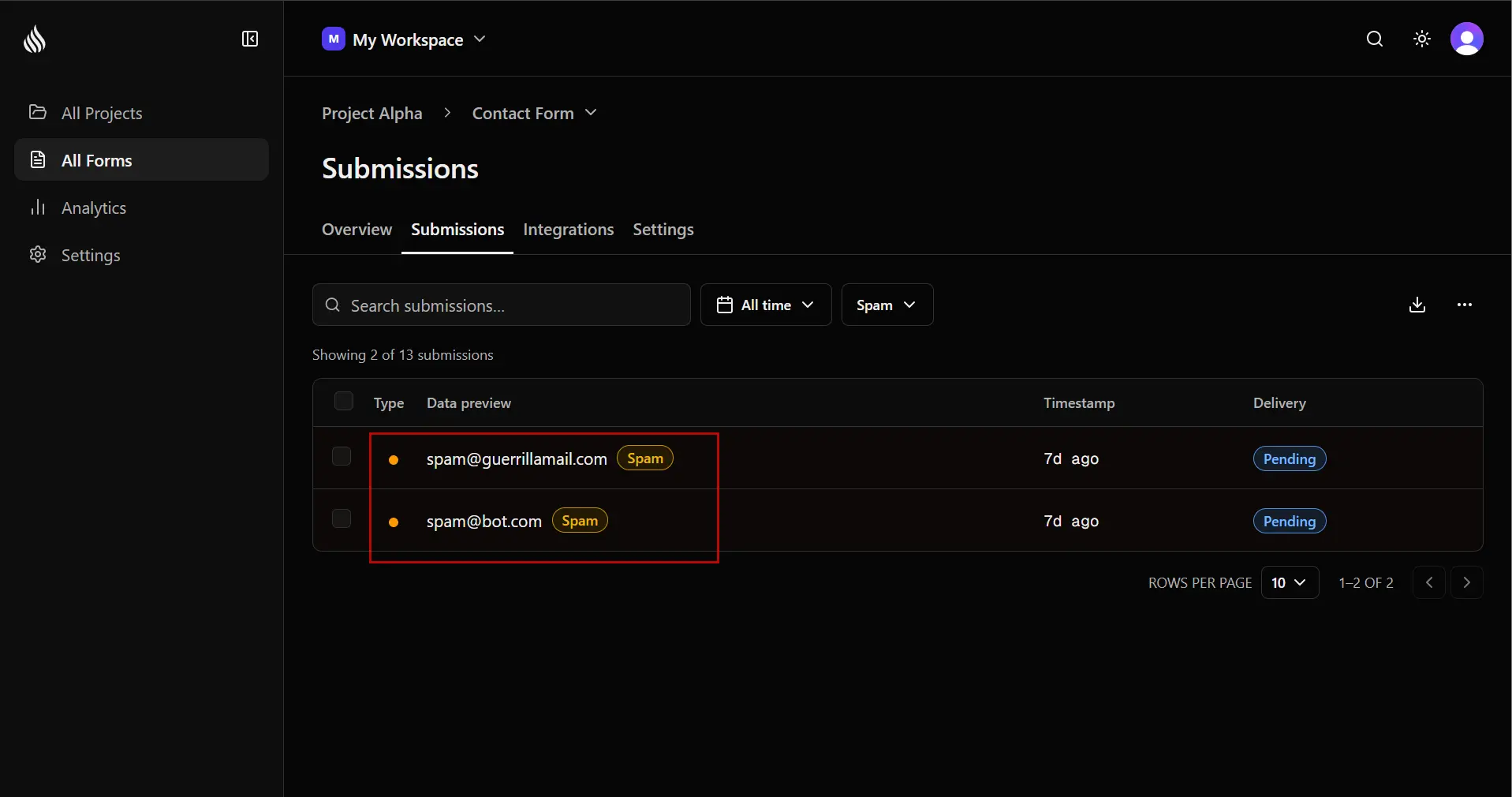
Spam submissions are stored and visible in your dashboard with a Spam badge. They are:
- Excluded from email notifications
- Excluded from webhook delivery
- Excluded from your monthly submission quota
You can review and inspect flagged submissions at any time. If a legitimate submission is marked as spam, you can see which signals were triggered.
Spam and test submissions never count toward your monthly quota. You can submit test forms freely during development without affecting your plan limits.
Marking a submission as spam from email
If TorchWarden misses one, you don’t need to open the dashboard to fix it. Every submission notification email has a Mark as Spam action alongside Reply to Submitter.
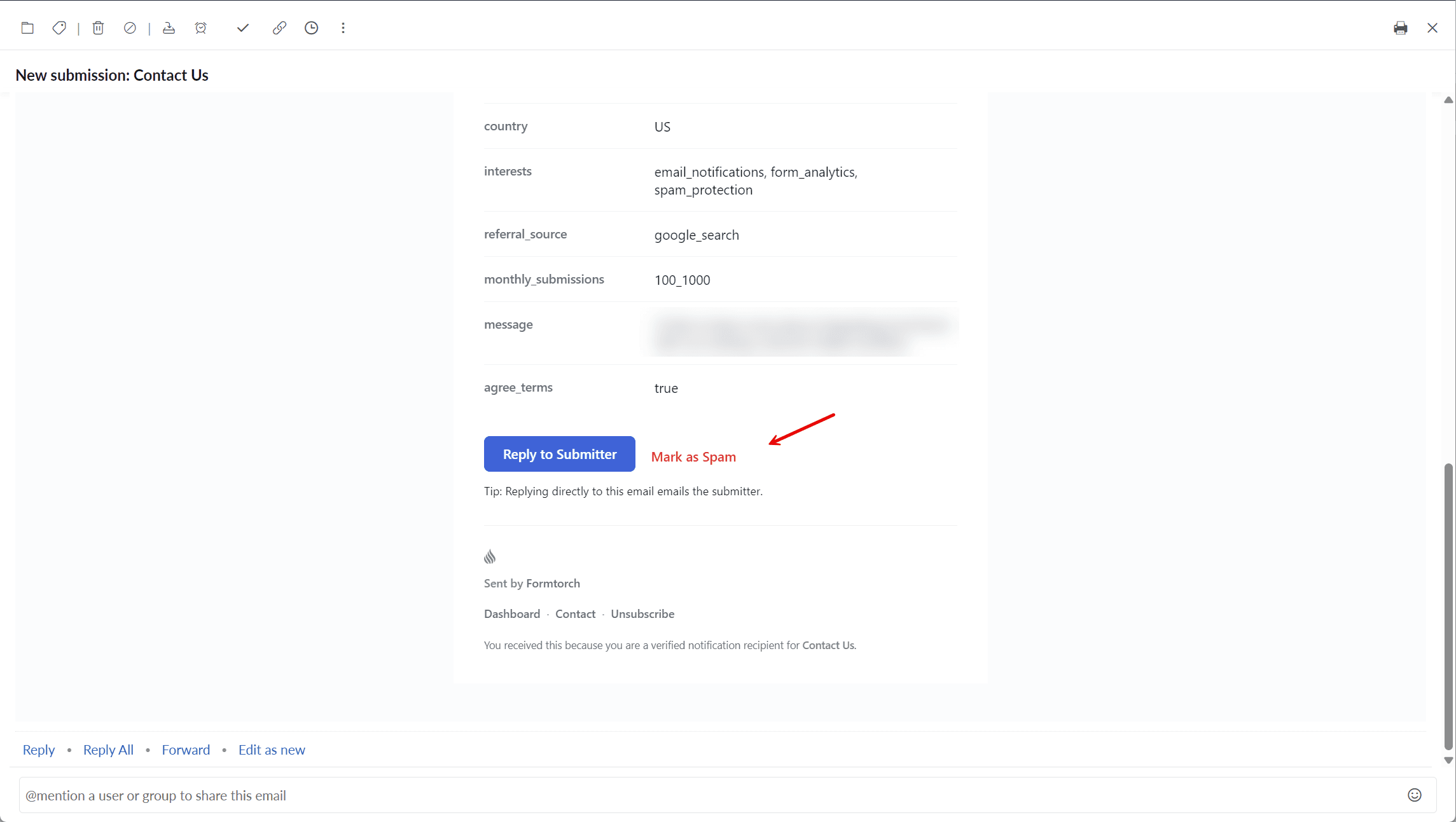
Clicking the link never mutates anything by itself. It opens a confirmation page, and only an explicit click there marks the submission as spam, so the link is safe to click by accident.
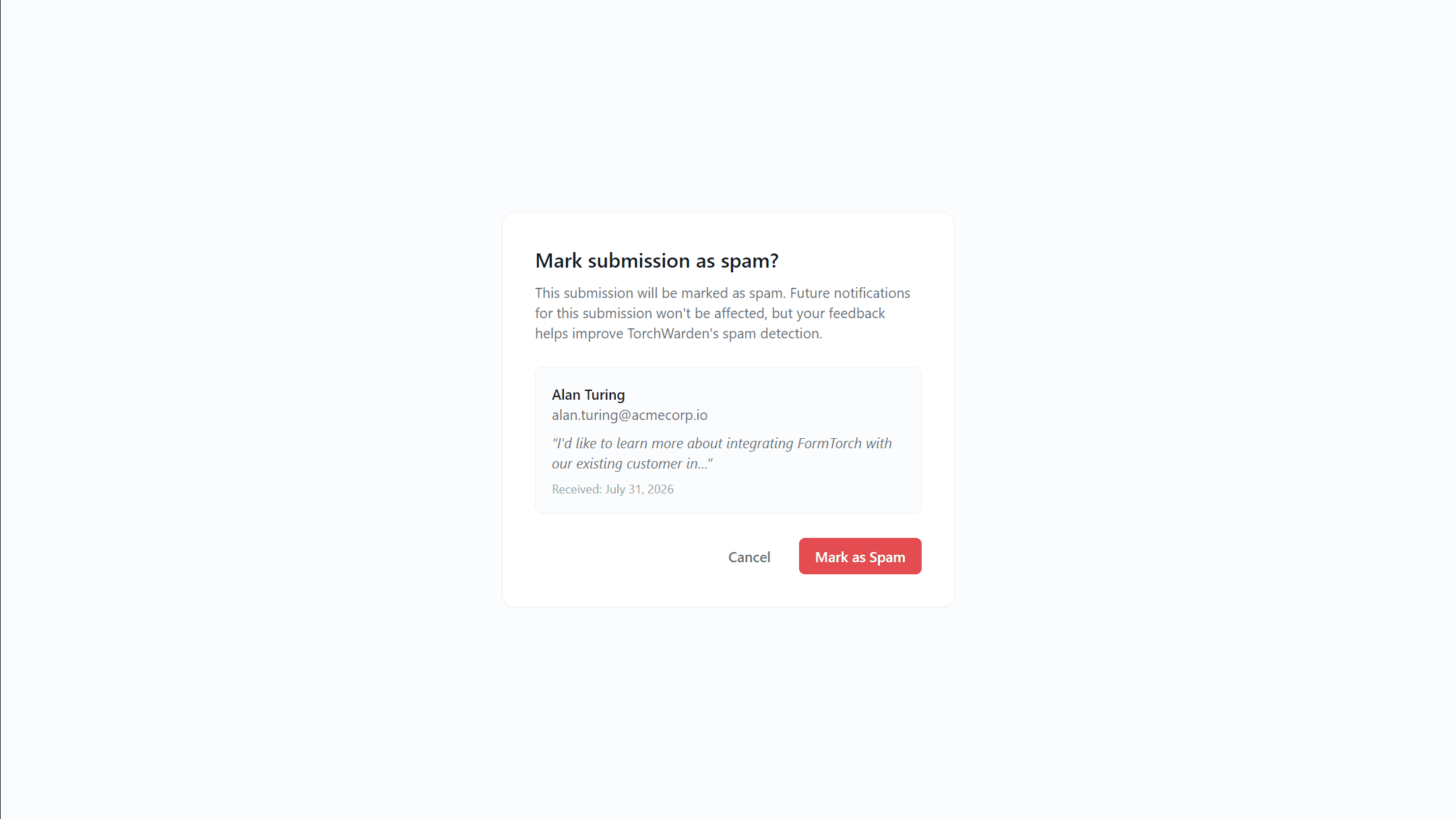
The confirmation link is cryptographically signed per submission, so it can’t be reused against a different one, and it expires after 7 days.