Webhooks as an Integration Layer
Formtorch webhooks let you connect to any external service, not just the ones with native integrations. If a service can receive an HTTP POST request, you can connect it to Formtorch.
There are two separate ways to receive webhooks, at different scopes:
| Type | Scope | Cap |
|---|---|---|
| Workspace-wide webhook endpoint | One endpoint, fires for every form | None (Starter/Pro on/off gate) |
| Per-form webhook destinations | One or more per individual form | Free 0, Starter 1 per form, Pro unlimited |
Most users only need one or the other, not both. Use the workspace-wide endpoint if you want a single place to receive events from all your forms; use a per-form destination if different forms need to notify different services.
Common webhook use cases
- Discord: Use the Discord integration instead of a webhook; Discord rejects Formtorch’s raw JSON payload
- Make / n8n: Trigger a workflow scenario using the Webhooks trigger module
- CRM: Push leads directly into HubSpot, Salesforce, or Pipedrive via their API webhook receivers
- Database: Write submissions to Airtable, Notion, or a custom database endpoint
- Custom backend: Trigger your own server-side processing logic
Workspace-wide webhook endpoint
Available on the Starter and Pro plans. For webhook configuration, signatures, and events, see the Webhooks feature docs and the Webhooks API reference.
One endpoint receives form.submitted, form.spam, and/or form.test events from every form in your workspace. There’s no numeric limit on this endpoint; it’s gated by plan (Starter/Pro) only.
- Go to Settings → Webhooks in the dashboard
- Click Add Endpoint and enter your destination URL
- Choose which events to subscribe to:
form.submitted,form.spam,form.test - Save: Formtorch will start delivering events immediately
Per-form webhook destinations
Separate from the workspace-wide endpoint above, each individual form can also have its own webhook destinations under that form’s Integrations tab: the same place you’d add a Google Sheets or Zapier destination. Use this when different forms need to notify different services, or when you want a form-specific webhook without touching the workspace-wide endpoint.
Plan availability
| Plan | Webhook destinations per form |
|---|---|
| Free | Not available |
| Starter | 1 |
| Pro | Unlimited |
How this differs from the workspace-wide endpoint
- Scope: per form, not workspace-wide. A cap of 1 on Starter means 1 destination on that form, not 1 across your whole workspace, so different forms can each have their own.
- Events: always fires on real, non-spam, non-test submissions only (
form.submitted). There’s no event picker: spam and test submissions are never delivered, matching how Google Sheets and Zapier behave. - Setup location: the form’s Integrations tab, not Settings → Webhooks.
Setup
- Open the form in the dashboard and go to Integrations.
- On the Webhooks card, click Add Destination.
- Enter the destination URL and an optional label, then click Add Destination.
- Formtorch shows the signing secret once, immediately after creation. Copy it now: it can’t be viewed again. If you lose it, remove the destination and create a new one.
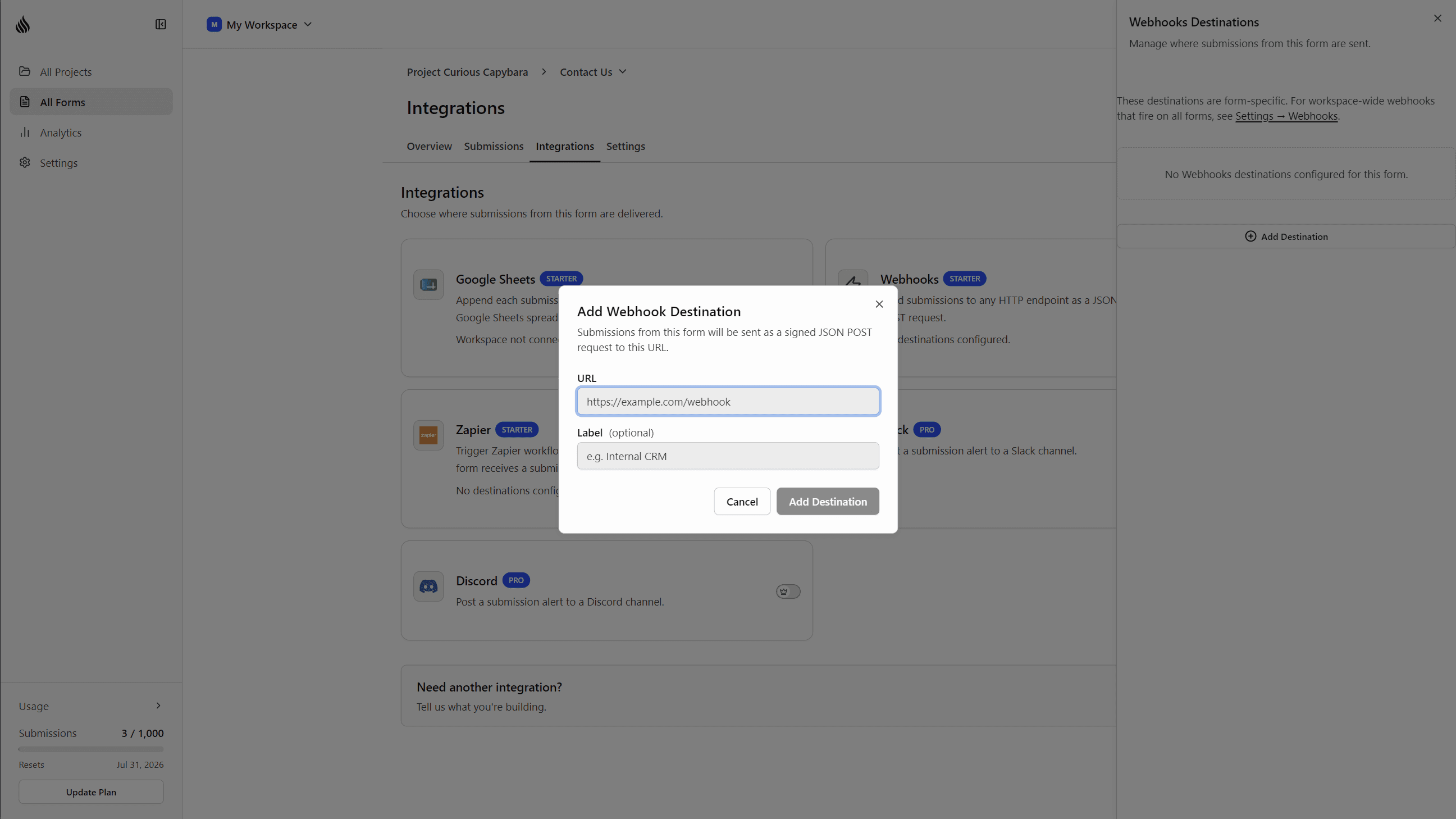
Formtorch begins delivering submissions to the destination immediately.
Payload and signature verification
Identical to the workspace-wide endpoint: same JSON envelope, same X-FormTorch-Signature HMAC-SHA256 header. See Payload and Signature verification in the Webhooks feature docs.
Delivery status and retries
Same shared delivery pipeline as the workspace-wide endpoint and other integrations: up to 6 total attempts (1 initial plus 5 retries) with exponential backoff. Delivery status is visible on the submission’s Integrations section in the dashboard.
What happens if you downgrade
The per-form cap applies to each form independently. If a downgrade puts one of your forms over its new limit, Formtorch keeps that form’s oldest webhook destination active and automatically pauses the rest on that form; other forms are unaffected unless they’re also over the new cap. Downgrading to Free pauses every per-form webhook destination.
Nothing is deleted: paused destinations stay configured, and upgrading again restores them.
Need a specific integration?
If you’d like a first-class integration with a specific tool, open a feature request or contact support.