File Uploads
Forms can now accept file uploads: resumes, screenshots, receipts, whatever your form needs to collect. Files upload directly from the browser to storage, never passing through Formtorch's servers, and attach to the submission they belong to.
Enabling uploads on a form
File uploads are off by default. Turn them on per form from the form's Settings page, where you'll also find the accepted file types for that form.
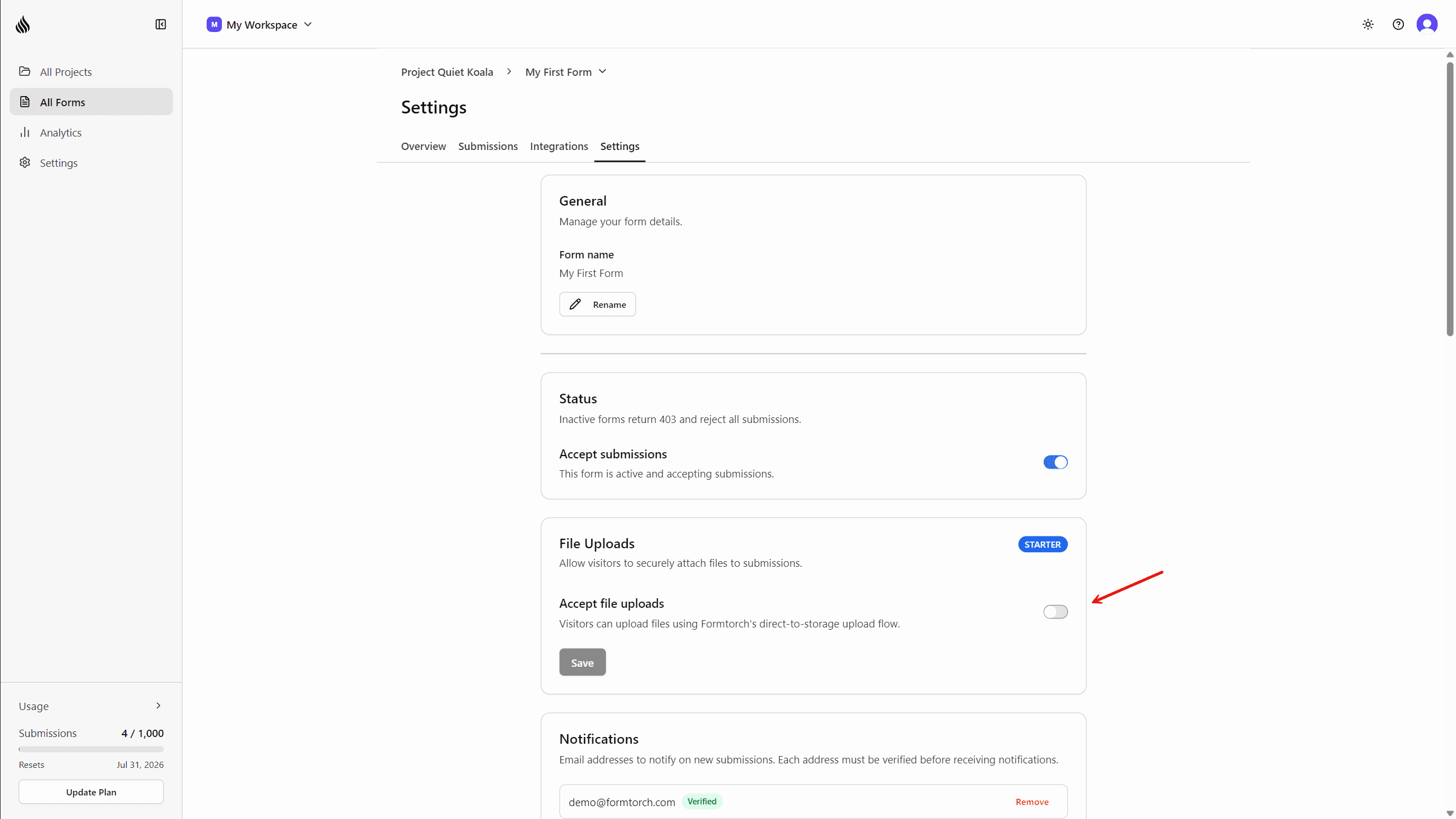
Accepted types: PDF, PNG, JPEG, WebP, GIF, plain text, CSV, and Word/Excel documents.
Viewing and downloading attachments
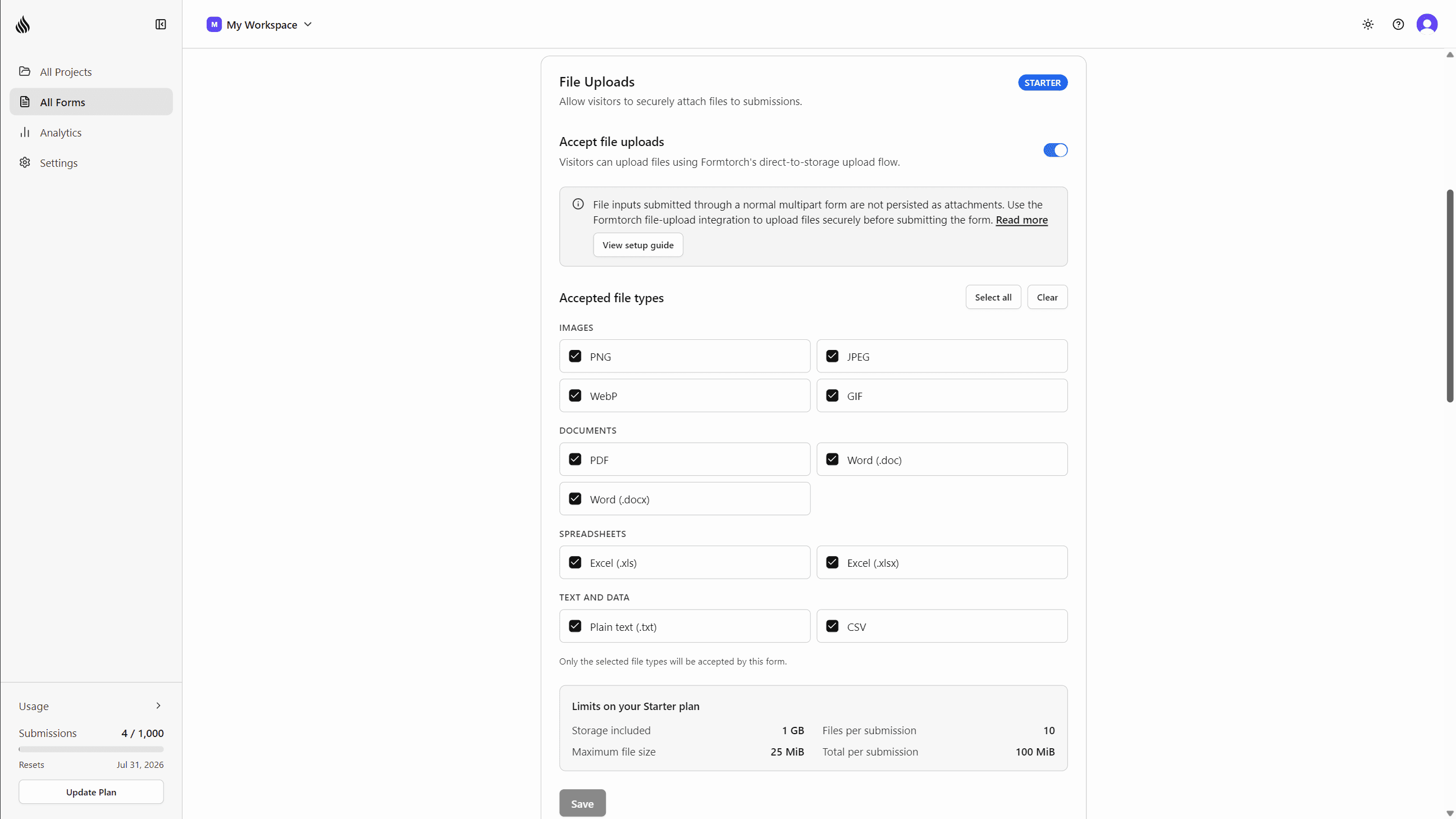
Every submission with files shows a paperclip indicator in the submissions table, and a Has files filter narrows the table down to submissions with attachments. Open a submission's drawer and the Attachments tab lists every file with a preview and a one-click download. A row-level download icon lets you grab a submission's files as a ZIP straight from the table, without opening the drawer.
Bulk export
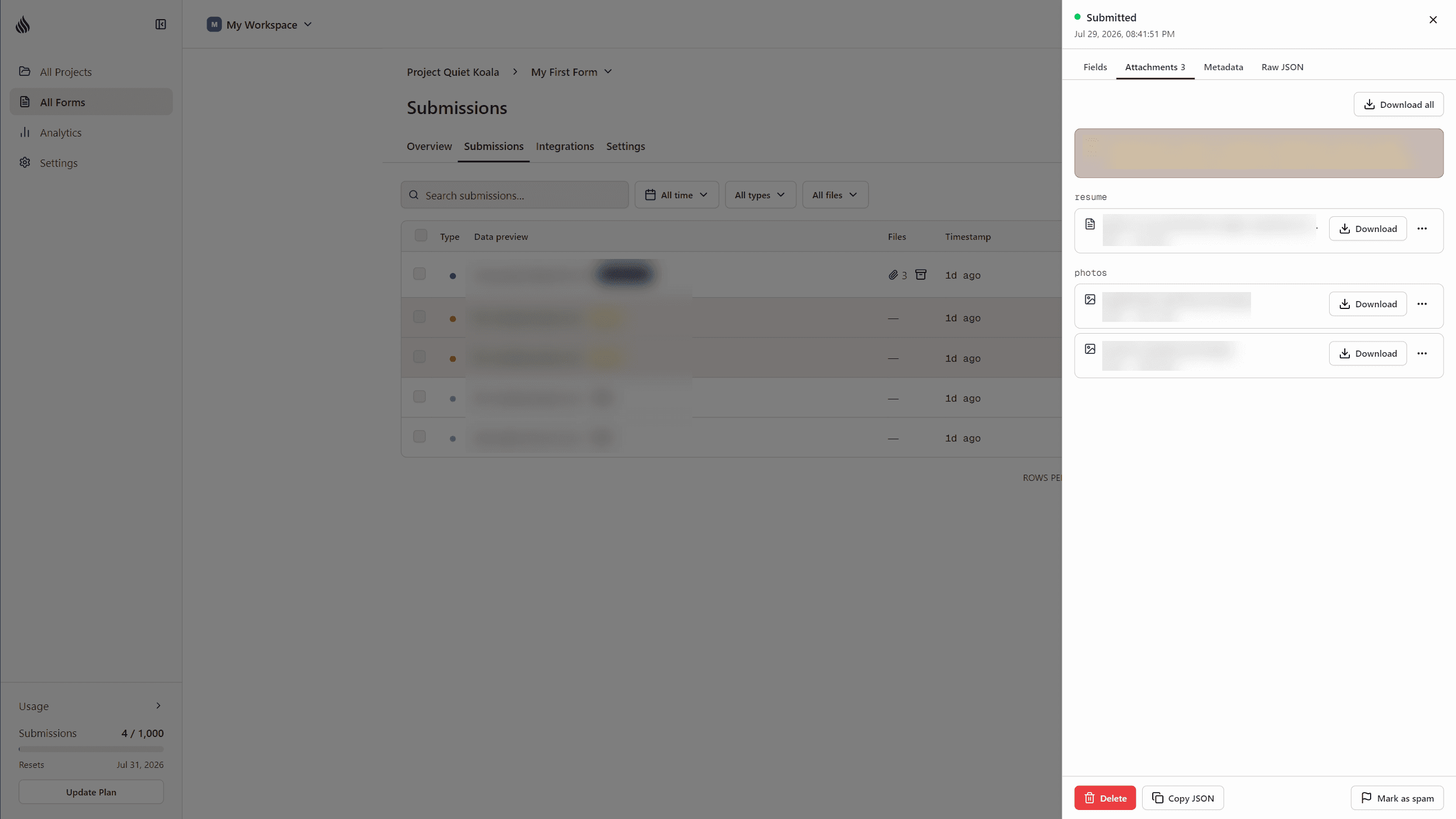
Select multiple submissions in the table and choose Download files to get every attachment across all of them as one ZIP, or Export package for a ZIP containing both submissions.csv and the files, in one download.
Managing storage
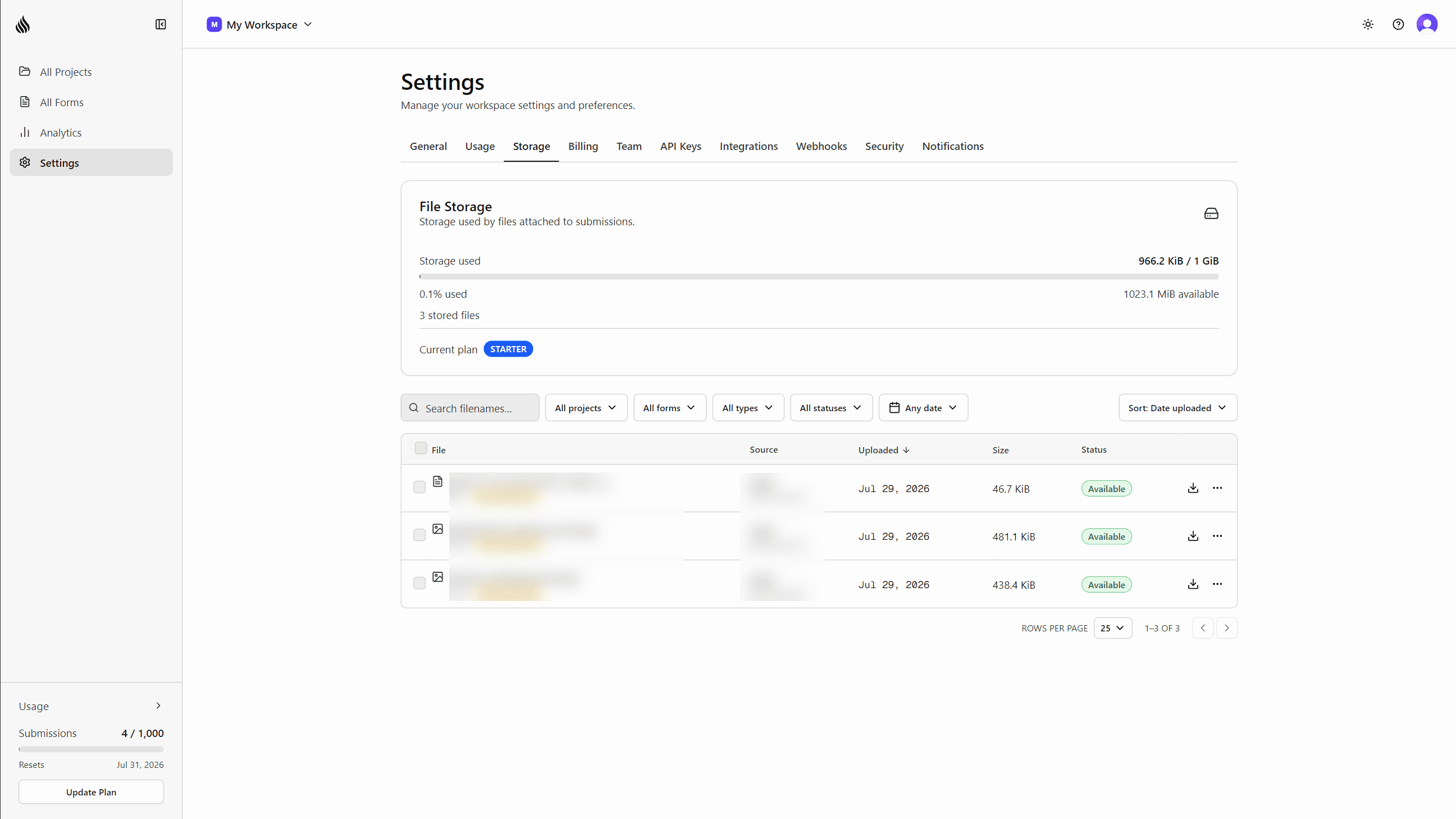
Settings → Storage is a workspace-wide file manager: every file you've ever received, filterable and sortable, with individual and bulk delete. Settings → Usage shows a storage meter (used, reserved, and your plan's limit) alongside your existing submissions usage.
| Plan | Storage | Max file size | Max files per submission |
|---|---|---|---|
| Starter | 1 GB | 25 MB | 10 |
| Pro | 5 GB | 25 MB | 10 |
File uploads are available on the Starter and Pro plans. For accepted file types, size limits, and integration examples, see the file uploads docs.
We’d love to hear from you
Have feedback on this update, or an idea for a feature you’d like to see? We read every message and genuinely take them into account as we build.
hello@formtorch.com