Automatic Malware Scanning for Uploaded Files
Every file uploaded to a form is now scanned for malware before it ever becomes downloadable, using AWS GuardDuty Malware Protection for S3.
How it works
Once a file finishes uploading, GuardDuty scans it automatically. If it comes back clean, the file becomes downloadable as usual, with no delay in the vast majority of cases. If a scan turns anything up, the file is blocked before it's ever exposed to a download link, webhook, or export.
What you'll see
Most files clear scanning within moments of upload and you'll never notice a difference. While a scan is in flight, a file briefly shows as Scanning in the submissions drawer's Attachments tab and isn't downloadable yet. In the rare case a scan takes longer than expected, it shows as Scan delayed, still not downloadable, but not blocked either.
What happens if a file is flagged
A file that fails its scan is quarantined immediately: it's permanently blocked from download and export, and its underlying contents are removed. It still appears in the submission's Attachments tab alongside the submission's other files, just with a Blocked for security badge instead of a download button. There's nothing you need to do; the rest of that submission is unaffected.
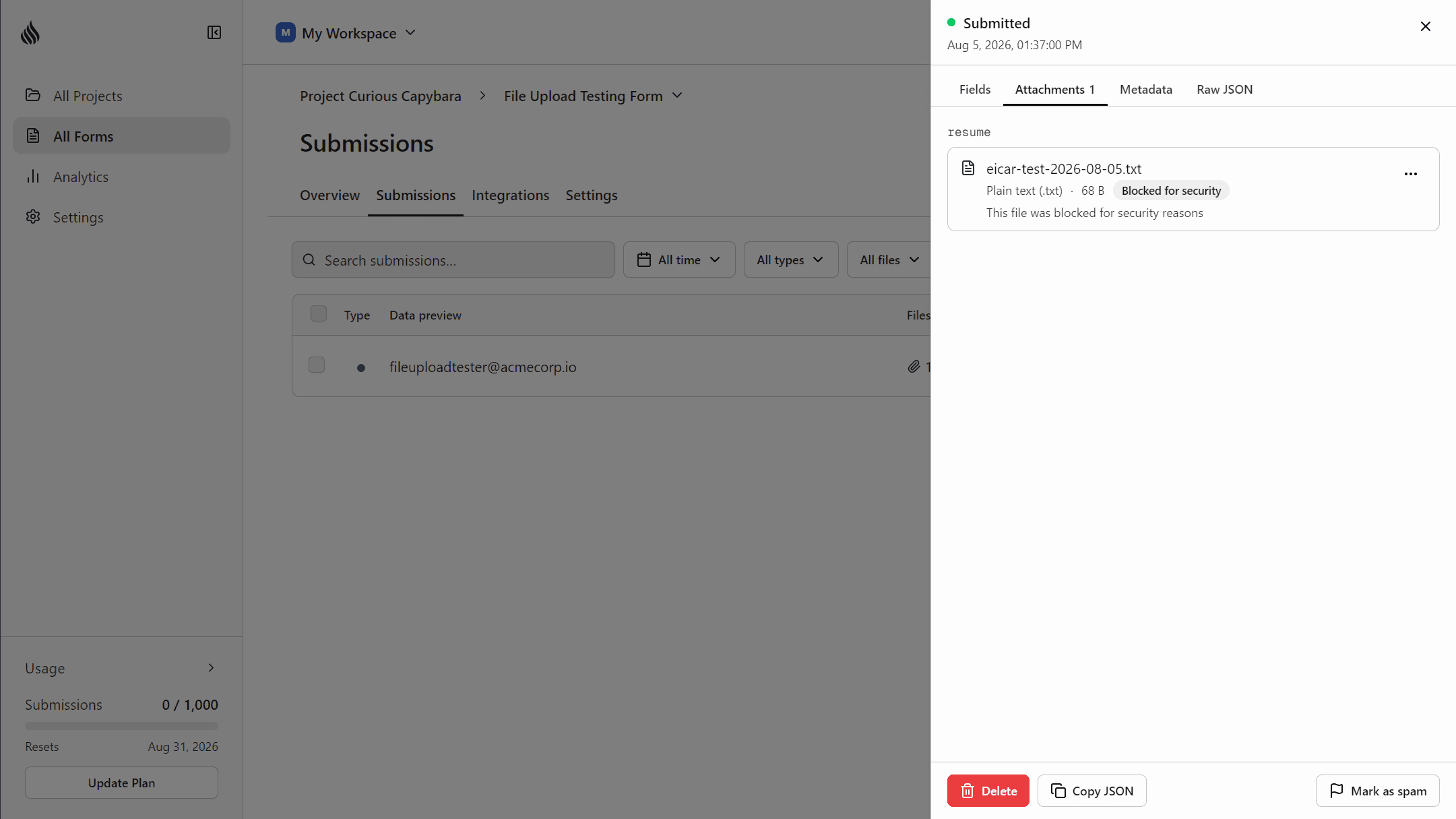
Scanning applies automatically to every file upload on the Starter and Pro plans, with no setup required. See the file uploads docs for details.
We’d love to hear from you
Have feedback on this update, or an idea for a feature you’d like to see? We read every message and genuinely take them into account as we build.
hello@formtorch.com