Per-Form Webhook Destinations
You can now add a webhook destination to a single form, separate from the workspace-wide webhooks that fire on every form. Useful when one form needs to hit a different endpoint than the rest of your workspace: a form-specific Slack channel, a staging environment, or a one-off automation.
Adding a webhook to a form
Open a form in the dashboard, go to Integrations, and click Add Destination on the Webhooks card. Paste your endpoint URL and, optionally, a label. Formtorch generates a signing secret and shows it once; store it before leaving the page.
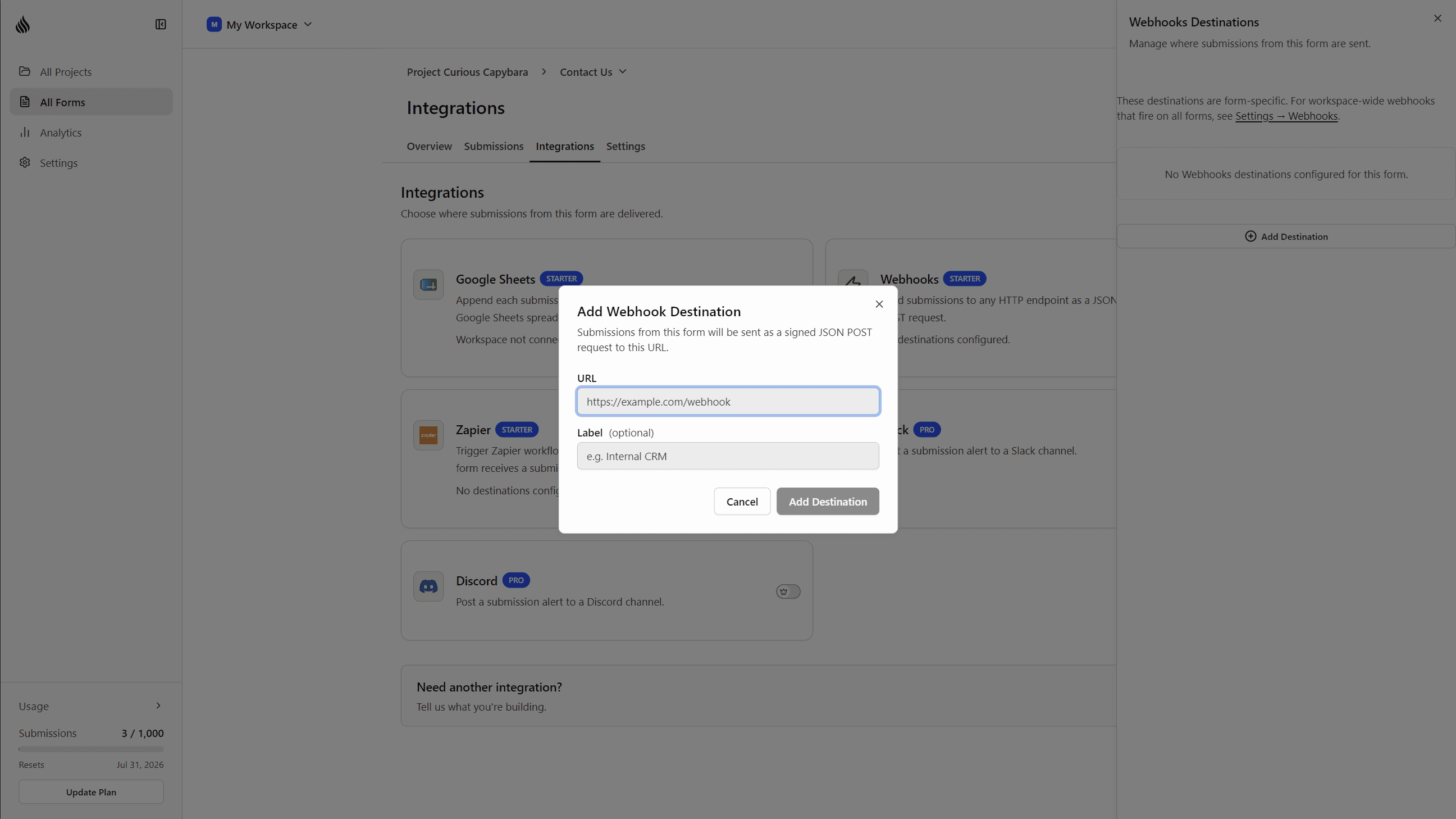
This is separate from Settings → Webhooks, which still covers workspace-wide endpoints that receive events from every form.
Same delivery guarantees
Per-form webhooks run on the same signed, retried delivery engine as workspace webhooks: X-FormTorch-Signature HMAC-SHA256 verification, exponential backoff on failure, and delivery status visible per submission.
Per-form webhook destinations are available on the Starter (1 per form) and Pro (unlimited per form) plans.
We’d love to hear from you
Have feedback on this update, or an idea for a feature you’d like to see? We read every message and genuinely take them into account as we build.
hello@formtorch.com